 Use the Manage button to access options to Add, Edit, or Delete FMS Node commands through the FMS Explorer Command menu. Configured command definitions are saved as part of the workspace when you choose to Save your current workspace.
Use the Manage button to access options to Add, Edit, or Delete FMS Node commands through the FMS Explorer Command menu. Configured command definitions are saved as part of the workspace when you choose to Save your current workspace.
To manage commands, open the Commands menu in FMS Explorer, and then click Manage to access the FMS Command Definitions dialog box.
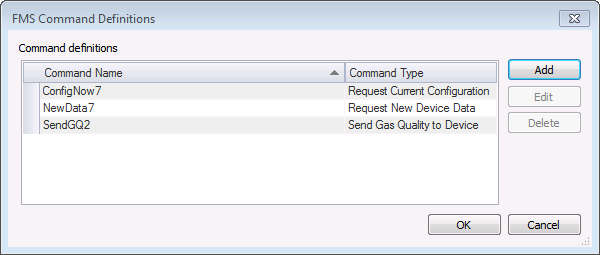
Currently configured Node commands, including the Command Name and the Command Type, appear in the dialog box and are listed in alphabetical order.
To create a new command definition, click Add to access the Create New FMS Command Definition dialog box.
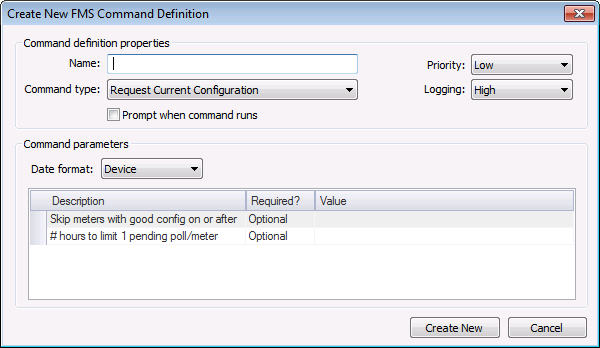
See the following command configuration topics for specific configuration information and corresponding parameters for each command.
Flow-Cal and PGAS data export commands are provided as optional features. To enable the export of raw data to Flow-Cal via database/CFX/TFX files or PGAS via XML files, CygNet Measurement provides optional files that can be installed on your system. These include CDF files that contain the data item mappings and actions necessary to execute the raw data export commands for multiple file types.
For the optional Flow-Cal commands, two conditions must be met.
See Installing CygNet Measurement for more information about installation and registration of the optional support files.
For the optional PGAS command, the following condition must be met.

Current command definitions appear in the FMS Command Definitions dialog box, where they are available for editing.
To Edit an FMS Command Definition
The Edit FMS Command Definition dialog box will appear.
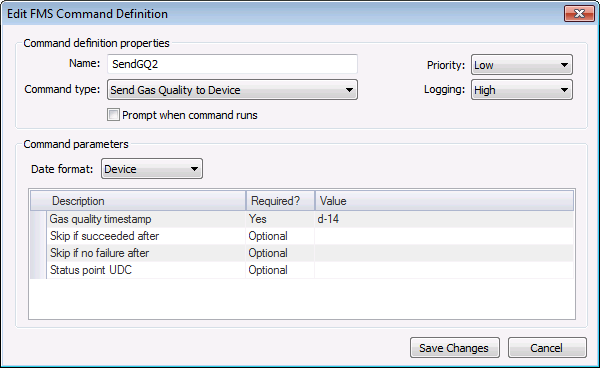
Current command definitions appear in the FMS Command Definition dialog box, and can be deleted if desired.
To Delete an FMS Command Definition
Note: Be certain of your deletion, as there is no confirmation prompt.
See Running Node Commands for more information about executing FMS Node commands.
More:
 Configuring Close Period Commands
Configuring Request Current Configuration Commands
Configuring Request Data Commands
Configuring Request Missing Data Commands
Configuring Request New Data Commands
Configuring Request Product Data Commands
Configuring Send Gas Quality Commands
Configuring Validate Data Commands
Configuring Export: Flow-Cal Data CFX Commands
Configuring Export: Flow-Cal Ticket Data TFX Commands
Configuring Export: Flow-Cal Transaction Queue Commands
Configuring Export: PGAS Data XML Commands
|
|
|

