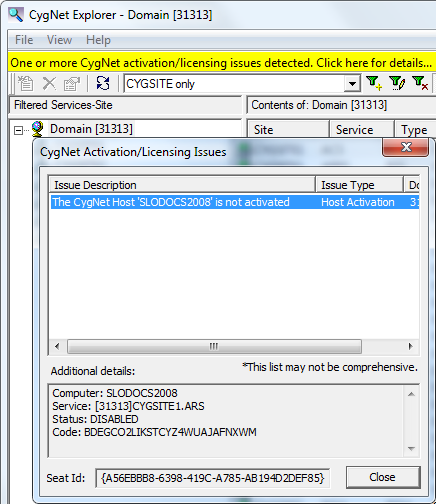
This CygNet client application includes a notification bar that appears if Host Activation or CygNet Access License (CAL) issues are detected. The notification bar appears in either yellow or red.
A yellow notification bar will appear under the menu bar in the following scenarios:
Click the yellow bar to access the CygNet Activation/Licensing Issues dialog box, which will provide detailed information about the activation and/or licensing issue(s) encountered, showing when a host is not activated and/or when a CAL is temporary or locked. Additional details are included in the dialog box, such as when the host activation expired or when a temporary CAL will expire. The client application will start up and continue to run in these scenarios.
A red notification bar will appear under the menu bar when a CAL is disabled or expired, and no data will be presented in the application.
Click the red bar to access the CygNet Activation/Licensing Issues dialog box, to view detailed information about the state of the CAL for this workstation.
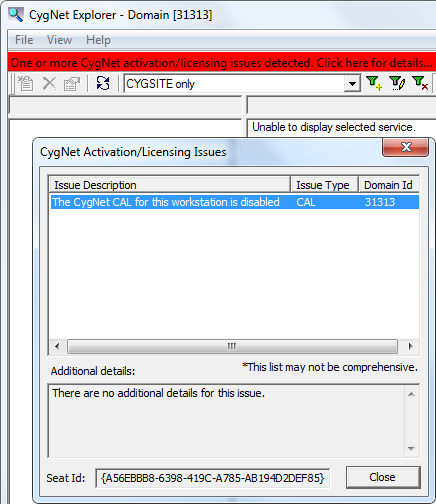
See Host Activation and License Management for more information.
If you encounter either of these notification bars, contact your CygNet Administrator about activating the CygNet host, or updating the CAL for your workstation.
A blue notification bar will appear under the menu bar when a CygNet Broadcast message has been issued. See CygNet Broadcast for more information.

|
|
|

