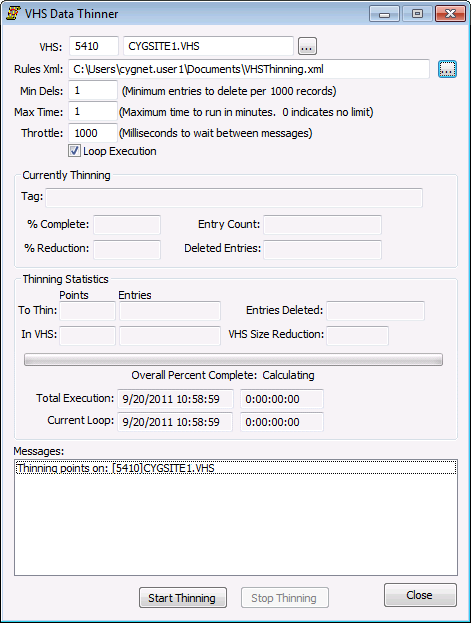
To allow the VHS Data Thinner to be scheduled, command-line parameters may be used when starting the application.
vhsdatathinner [/A [[/R /L] [/t <max_runtime_mins>] [/m <min_deletes>] [/h <throttle>] [/p <tag>] [/d <domain>] [/s <site.service>] [/x <rules_file_path>]]
See Data Thinner Properties for more information about some of these options.
| Parameter | Definition |
|---|---|
|
/A |
Autorun. Start executing immediately. |
|
/d <domain> |
The domain of the VHS. |
|
/h <throttle> |
Throttle. Milliseconds to delay after sending each CygNet message. |
|
/L |
Loop execution. |
|
/m <min_deletes> |
Minimum number of records to delete per 1000 record block. |
|
/p <tag> |
The point to be updated at the end of each cycle with the count of deleted entries. |
|
/R |
Restart. Restart where the previous run left off. |
|
/s <site.service> |
The VHS Site.Service. |
|
/t <max_runtime_mins> |
Max runtime in minutes. A zero indicates no limit. |
|
/x <rules_file_path> |
The path of the rules XML file. |
Example
The following example thins data in CYGSITE.VHS on domain 5410, in 1 minute, using the thinning rules saved in VHSThinning.xml, set to autorun, loop continuously, with a 1000 ms throttle.
|
vhsdatathinner /t 1 /s CYGSITE.VHS /x C:\Users\cygnet.user1\Documents\VHSThinning.xml /A /L /d 5410 /h 1000 |

|
|
|

