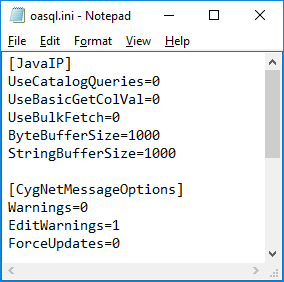
The ODBC driver has three options: Warnings, Edit Warnings, and Force Updates. The Warnings option specifies that generic warnings regarding the driver are displayed. The Edit Warnings option determines that warnings are shown when a user edits a record. The Force Updates option determines whether or not a user is prevented from making changes while another user is already in the process of making changes.
To enable or disable the CygNet Message Options, you have three options.
Edit the Oasql.ini file located in the CygNet\Support\ODBC folder.
|
|
| Sample CygNet Message Options File |
| CygNetMessageOptions | Description |
|---|---|
|
Warnings |
Enables or disables CygNet communication warning messages. Examples of a warning message include:
Options are:
The default value is 0. |
|
EditWarnings |
Enables or disables update row or delete row warning messages. Note than when updating numerous records, if enabled, this feature results in a warning for each record. For example, 600 record updates would result in 600 edit warning messages. Options are:
The default value is 1. |
|
ForceUpdates |
Enables or disables forcing updates and deletes to DBS. If disabled, any user in the process of editing the data will not be interrupted by your update query. Options are:
The default value is 0. |
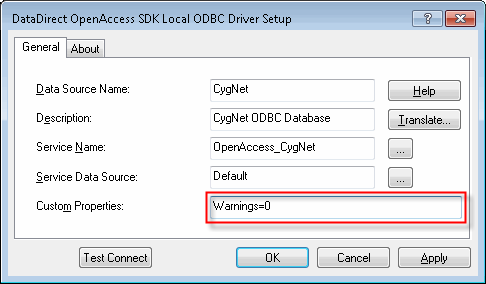
Edit message options in the ODBC property sheet. Any message setting you make in the property sheet overrides the file value.
|
| Sample ODBC Driver Setup |
Edit message options by using script. Any message setting you make in script overrides the file value.
|
using (DbConnection conn = new OdbcConnection("DSN=CygNet;ServiceFilter=MYSITE.FAC;Warnings=0")) { conn.Open();
[… …] } |

|
|
|

