SVCMON has a built-in set of algorithms that can be applied to SVCMON UDCs for performing calculations. These include:
Calculated points are based on source points. Multiple calculated points can be created for each source point.
Not all calculation types are appropriate for all source points. For example, it would make sense to monitor the rate of change for the Value History Service database size, but it wouldn’t make sense to monitor the rate of change for the operating system version.
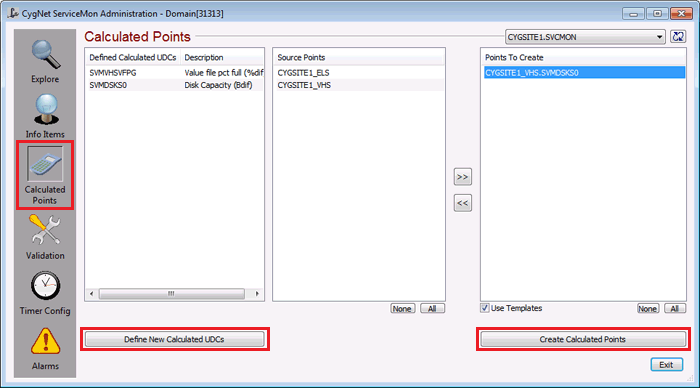
The Calculated Points view is used to add calculated points. The process of adding a calculated point involves:
Calculated UDCs are stored in the Table Reference Service in the ~UDCCALC category.
Once a calculated point has been added, it will be listed in the Explore view.
As with SVCMON points that monitor info items, calculated points utilize certain Point Service properties. These properties are assigned values by SVCMON and should not be changed. These include the Facility and UDC properties on the General page, the General Data Field 1 (source UDC) and Table Field 1 (calculation type) on the Application page, and the Point Reference properties on the Point Reference page.
More:

|
|
|


