Several keywords support a Special Action button in the (A)ction column. Click the … chooser in the A column to launch a special action dialog box for each of the following keywords.
For more information, see the following subsections below:
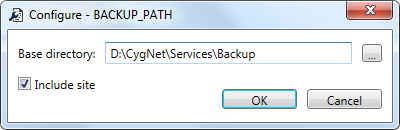
BACKUP_PATH specifies the path to the backup directory for the service files. The path can be relative or absolute. If the path contains spaces it must be enclosed in quotation marks. The service will create the backup folder if it does not exist.
Use this Special Action to set the same base directory for all filtered services and optionally to include the site name in the path.
BACKUP_TIME specifies the time for the daily backup to run (24-hour format 0000 to 2359, do not use a colon). If this keyword is not enabled for a service or no time is specified, the automatic backup will not occur. Service backup will only occur if manually initiated or scheduled via the MSS. Most users prefer backups to be spread out for all services.
Use this Special Action to set the start time and interval (offset) for this keyword for all services.
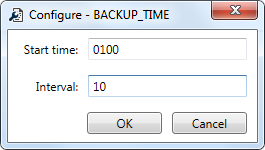
The services will be iterated in alphabetical order and each BACKUP_TIME will be set to the start time, plus the interval for each service. For example, if Start time is set to 0100 and Interval is set to 10 minutes, the ACS Backup Time would be set to start at 01:00, the APPS Backup Time would be set to start at 01:10, the ARS Backup Time would be set to start at 01:20, and so on.
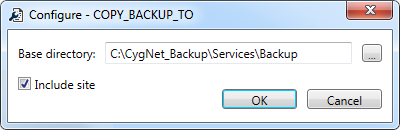
COPY_BACKUP_TO specifies the path to copy backup service files once the backup process is complete. The path can be relative or absolute. If the path contains spaces it must be enclosed in quotation marks. The service will create the backup folder if it does not exist.
Use this Special Action to set the same base directory for all filtered services and optionally to include the site name in the path.
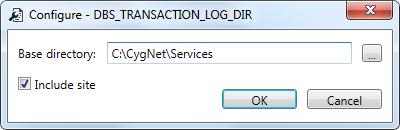
DBS_TRANSACTION_LOG_DIR sets the directory where the transaction log files are stored.
ENCRYPTION_KEY_FILE specifies the path and name of the common encryption key file that is used to encrypt and decrypt certain configuration keywords. See Encrypted Keywords for more information about encrypted keywords and this keyword.
Use this Special Action to create a new encryption key file.
Note: This feature is only available for local configuration files. If you have loaded remote configuration files, you will be warned of this.
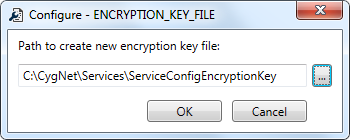
Note: If there are any encryptable keywords that remain in plain text when you click Finish, you will be warned and asked if you want to encrypt the keywords.
REPL_SOURCE specifies the Domain and Site.Service name for the source service to be replicated in the format [DDDD]SITE.SERVICE. The REPL_SOURCE value requires the same service name, with a different domain prefix. Use this Special Action to update the domain and status for all services with a single mass action.
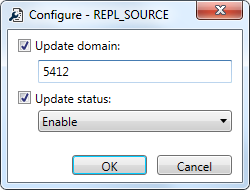
The new source domain will be added to the keyword for all services.
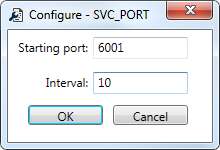
SVC_PORT specifies the UDP port number for each service. It must be unique for every service on a given server. Use this Special Action to "fix" each keyword to be unique, if it's not already. It is recommended that all service configuration files for a given host server be included before running this operation.
For each unique server (represented by the filtered services) the keywords will iterate in alphabetical order and assign a unique port value starting with the user-defined port, and incrementing by the value specified in the interval.
Note: If you specify an Interval greater than 1, and then later need to add a site to the host, there will be a gap in the SVC_PORT numbers, allowing you to add a site with an adjacent number, rather than in a different range.

|
|
|

