Date Picker
Use the date picker to select a date for your control.
|
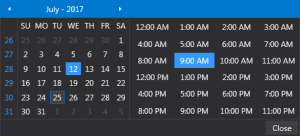
Data Picker dialog box
|
- Select a desired month by using the small arrows to move though the months
- Select the desired day of the month
- Select the desired hour of the day
- Click Close to close the date picker