 (Add a new style based on this control) next to the Style property to open a new style sheet for this control. The style sheet will pick up any property values you have configured for the control.
It is easy to create styles in the Properties pane using the Select Properties for New Style dialog box. This is the preferred method for style sheet creation and configuration.
(Add a new style based on this control) next to the Style property to open a new style sheet for this control. The style sheet will pick up any property values you have configured for the control.
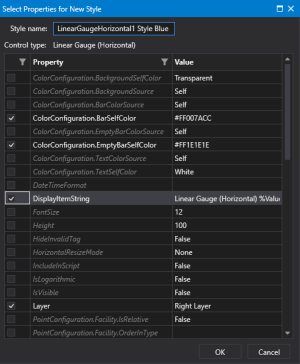
Style Sheet configuration — Properties pane
Note: The style sheet does not display all properties for all control types. Some complex object types (for example, Chart.Series properties, and Grid.ColumnDefinition properties) and lists (e.g. ComboBox.Items properties) are hidden from style configuration.