Chart
 The Chart is a CygNet-aware control that provides a customizable means to visualize point values and historical CygNet data in several types of charts. The Canvas chart is highly configurable and supports the following options: an unlimited number of series that can be styled as desired, optionally displaying historical rollup values; configurable date ranges, both relative and absolute; live data updates at a configured interval allowing the chart to trend data at a real-time pace; the display of time slices and tooltips; optional, configurable legend options (date and value format, dynamic text display based on real-time properties); configurable x- and y-axis features (label color, position, tick color, and title); a configurable toolbar and its position, and dragging, panning, and zooming in run mode. The chart supports CygNet data natively and non-CygNet data via script. Other run mode options include stopping/restarting live updates, changing the date and time range, saving/opening a chart's configuration as a default chart, printing the current chart, export as an image, and export data to a CSV file.
The x-axis of a chart typically displays increments of data according to the selected data's relevant unit type. The unit type derives from the associated data type's point record in the Point Service (PNT). The x-axis always displays increments of time units. The time units and increments displayed on the x-axis are user defined.
In addition to simple design mode property configuration, you can display a draft chart while in design mode without having to switch to preview, making screen building more efficient.
|
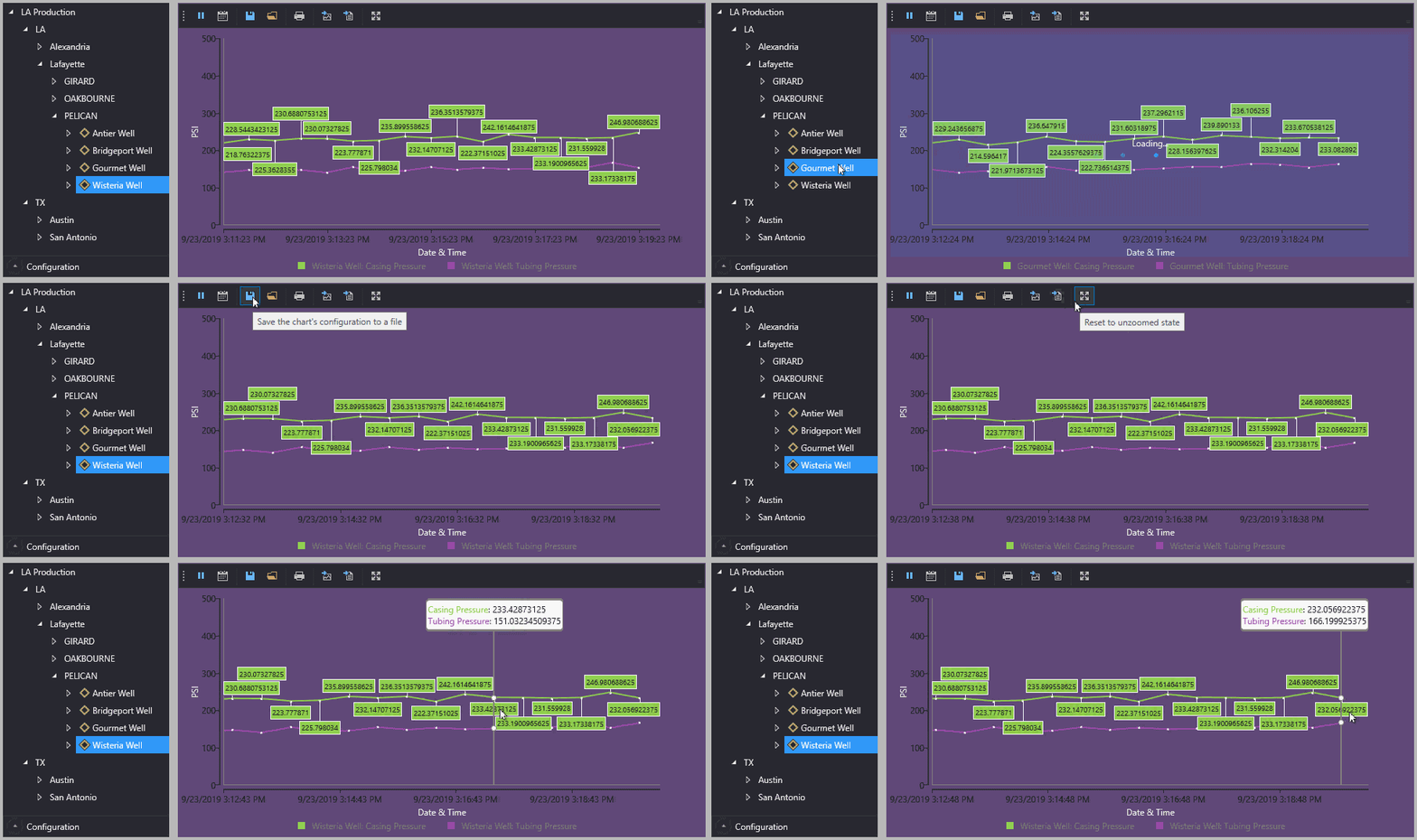
Sample chart driven by facilities selected in the tag chooser showing live update mode
|
Property Inheritance
Property Inheritance
Property inheritance is a widely used concept in Canvas. The application supports an explicit relationship between screens, objects, and controls, where certain property values, such as SiteService and facility tags, are passed from one element to another via an inheritance framework. Screens, objects, and controls can be configured as property senders or property receivers and provide configuration options where you can explicitly define the source of the SiteService and facility. Depending on how you have your screens, objects, and controls set up, the SiteService and facility may come from any one of the following sources:
- from itself — indicated by selecting <Self> and then explicitly configuring the property
- inherited from the screen — indicated by selecting Screen, which is always present as a sender
- inherited from another control — indicated by selecting the Name of the sending control
Broadcasting
Screens and objects support an additional notification option to broadcast their SiteService and facility selection changes to other open screens running in the Canvas or Canvas View application. If configured, a <Broadcast> option is available to source the screen's SiteService and facility properties from another open screen.
For example, a text tool can be configured to get its facility from the screen and the screen can be configured to get its facility from a tag chooser. Or Screen_A might source its facility from Screen_B, which gets its facility from a tag chooser.
Receiver or Sender
The chart control supports property inheritance as a receiver of its SiteService and facility:
|
Self
Screen
|
Self
Screen
Other controls
|
none
|
none
|
The chart does not send its SiteService or facility to other controls.
Drag and Drop
Canvas charts are highly configurable in design mode, but also in run mode. Through the power of inheritance, you can configure a chart to show data for an element (for example, a facility or a UDC), and then in run mode you can drag and drop different elements from other controls (for example, the tag chooser) onto your chart to dynamically display related data.
Related Topics

