Object Container
 The Object Container is a CygNet-aware control that dynamically populates itself using Canvas object files (.cob) and passed-in facilities. The control determines how many Canvas objects to draw based on facility inheritance, and then fills itself in with an object for each child of the parent facility. The object container allows the creation of sophisticated, easy-to-maintain Canvas screens, it:
- can be connected to a tag chooser or any other facility sender for its facility context
- supports relative facilities and facility filtering to specify exactly what to display in the container
- will dynamically resize and re-orient objects appropriately
- eliminates the need for complex white-space management scripting
For example, say you have a well-pad facility and want to compare wells on each well pad, but each well pad has a different number of wells. By creating a single Canvas object that represents a child well with common data (UDCs), adding the Canvas object to the object container, linking the container to a tag chooser, the object container will instantiate an object for each well on the selected well pad and then pass in the facility for it. One well pad might contain 4 wells, while another might contain 7 wells. The object container control determines the number of child wells for each parent, and draws the objects accordingly as the facility is passed in from the tag chooser.
|
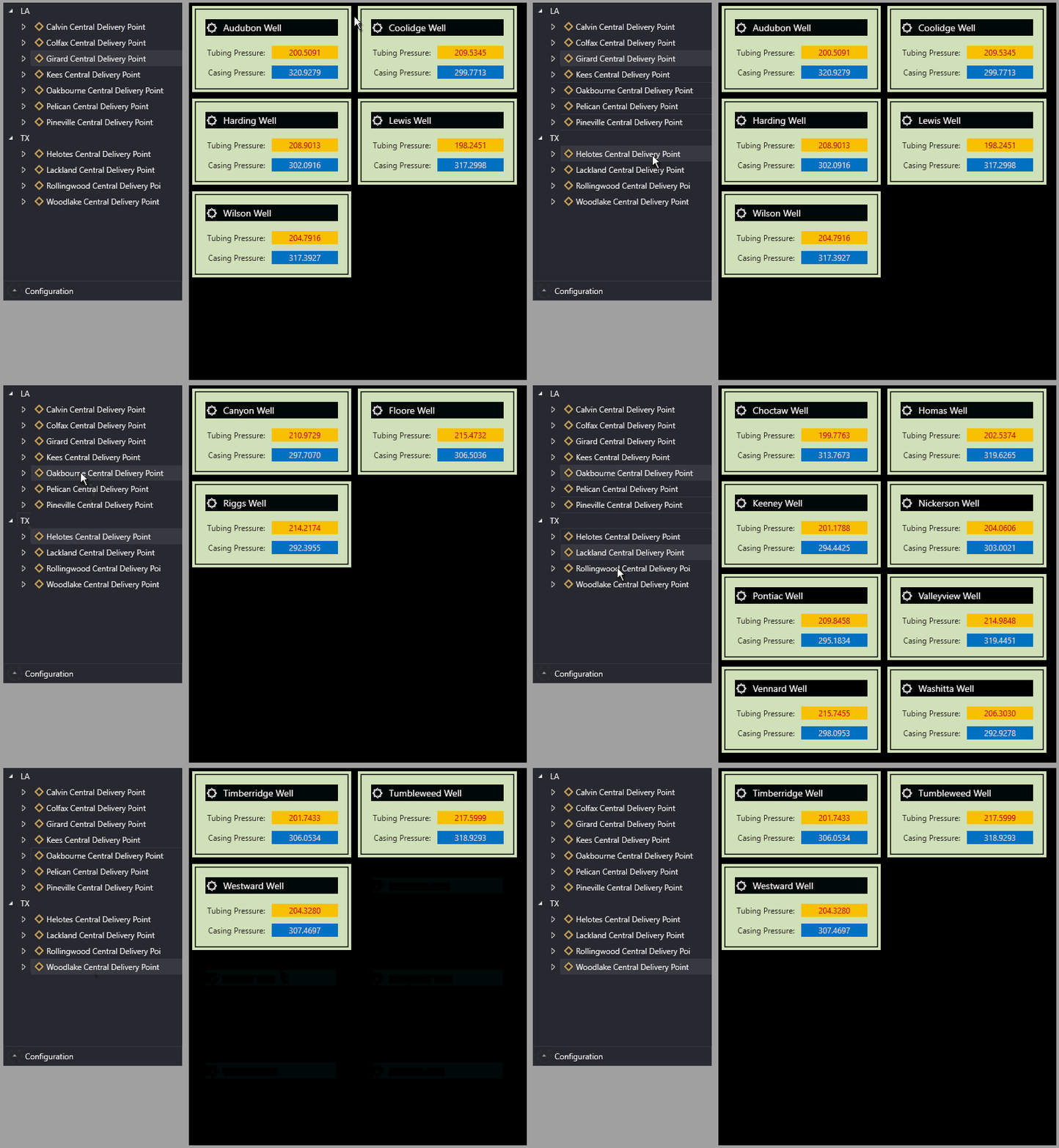
Sample object container linked to a tag chooser,
which drives the display for the number of wells (child facilities) in each Central Delivery Point (parent facilities)
|
Property Inheritance
Property Inheritance
Property inheritance is a widely used concept in Canvas. The application supports an explicit relationship between screens, objects, and controls, where certain property values, such as SiteService and facility tags, are passed from one element to another via an inheritance framework. Screens, objects, and controls can be configured as property senders or property receivers and provide configuration options where you can explicitly define the source of the SiteService and facility. Depending on how you have your screens, objects, and controls set up, the SiteService and facility may come from any one of the following sources:
- from itself — indicated by selecting <Self> and then explicitly configuring the property
- inherited from the screen — indicated by selecting Screen, which is always present as a sender
- inherited from another control — indicated by selecting the Name of the sending control
Broadcasting
Screens and objects support an additional notification option to broadcast their SiteService and facility selection changes to other open screens running in the Canvas or Canvas View application. If configured, a <Broadcast> option is available to source the screen's SiteService and facility properties from another open screen.
For example, a text tool can be configured to get its facility from the screen and the screen can be configured to get its facility from a tag chooser. Or Screen_A might source its facility from Screen_B, which gets its facility from a tag chooser.
Receiver or Sender
The object container control supports property inheritance as a receiver of its SiteService and facility:
|
Self
Screen
|
Self
Screen
Other controls
|
none
|
none
|
The object container does not send its SiteService or facility to other controls.
Related Topics

