Configuring a CygNet Alarm Manager Schedule
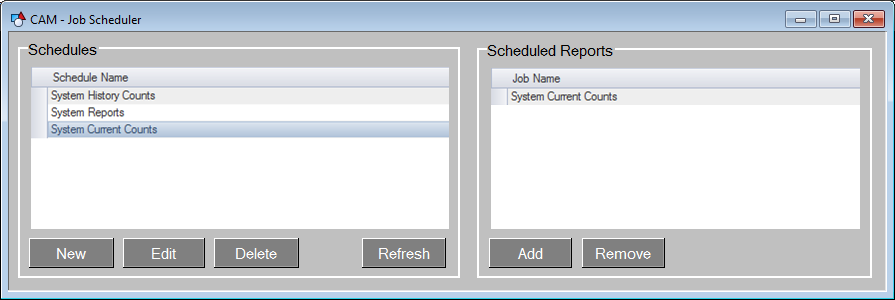
The CAM jobs are scheduled with the CAM - Job Scheduler.csf CygNet Studio screen that is provided as part of the CAM installation.
- Click New to open the Schedule dialog box where the schedule properties are configured
- Click Edit to open the Schedule dialog box to modify schedule properties for previously created schedules
There are two sections of a scheduled job. The first is the schedule itself where frequency and execution time is configured. The second part defines which jobs to run. A schedule can be configured to execute more than one job at a time.
|
CAM Job Scheduler |
Schedule Properties
Schedules as configured via CxHmiAEJobScheduler Schedule dialog box have their properties separated into two sections, General and Recurrence properties.
General
- Description — The name for the schedule. The character limit for this field is 60.
- Start date — The date and time at which this schedule should begin.
- Active — Indicates whether or not the schedule will currently trigger the Setpoint on its associated HSS points based on the recurrence pattern. An active schedule will trigger the value change; an inactive schedule will not.
Recurrence
Recurrence patterns are broken down into three categories: Every, Day of the week, and Monthly.
Every
|
Schedule Every |
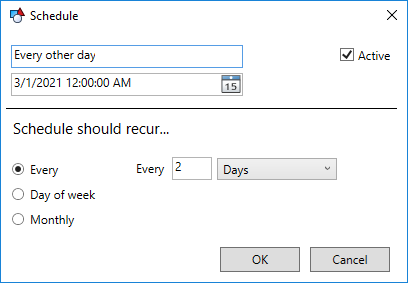
This pattern triggers based on a recurrence period. The period can be set to seconds, minutes, hours, days, weeks, or months.
Day of the week
|
Schedule Day of the week |
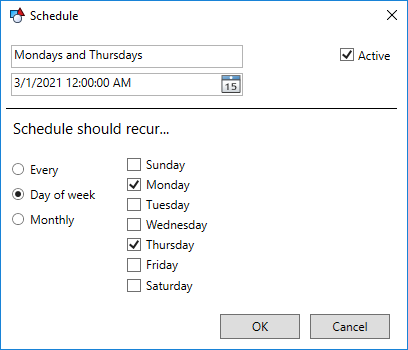
This pattern triggers based on the days of the week.
Monthly
|
Schedule Monthly |
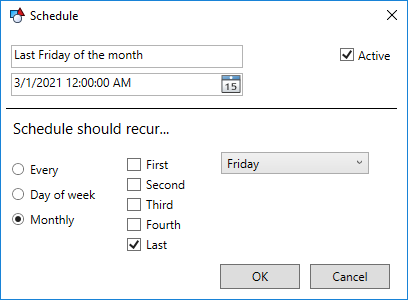
This pattern triggers based on the First, Second, Third, Fourth, or Last week day of the month.


