Opening Files from or Saving Files to the BSS
Some CygNet client applications use the Blob Storage Service (BSS) for file storage and retrieval, notably CygNet Studio and the Trend Tool. You can open a file stored in a BSS or save a file to a BSS. Each action is security dependent.
Open/Save Blob Dialog Box
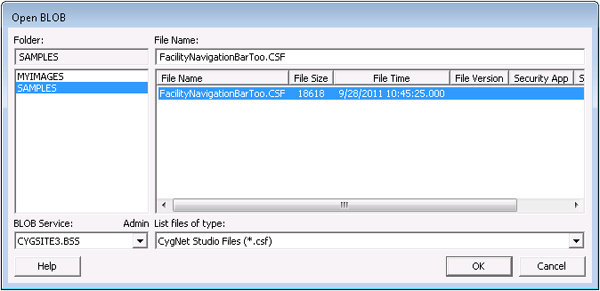
This example shows an Open Blob dialog box, which is nearly identical to the Save Blob dialog box.
|
Open Blob Dialog Box |
Select Blob Dialog Box
Note: The expandable image previewer must be installed and registered in order for the following dialog boxes to operate as described.
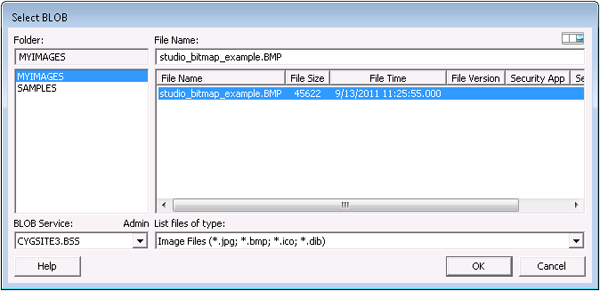
The following dialog boxes are examples of what you might see when selecting an image for use with one of the CygNet Studio tools that support this feature, like the Image Tool and the Vector Image Tool.
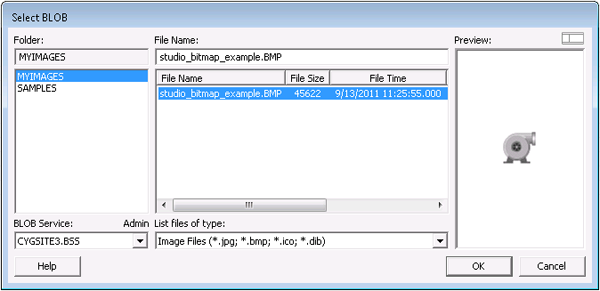
The expandable image preview pane supports the display of the following file types, not to exceed 5MB each: .bmp, .gif, .jpeg, .png, .tiff, .wmf, .emf, and .icon. However, not all of these file types are supported by all relevant CygNet applications. See the respective application documentation for a list of the file types supported by that application.
In this example, the expandable image preview pane is collapsed.
|
Select Blob Dialog Box |
In this example, the expandable image preview pane is expanded.
|
Image Preview Pane |
Open/Save/Select Blob Properties
The following table lists and describes properties found on the Open/Save/Select Blob dialog box.
| Property | Description |
|---|---|
|
Folder |
This text box specifies the name of the group to which the file belongs or will be added. New folders can be created in this dialog box by typing the folder name in the Folder text box. Folder names are limited to eight (8) characters. |
|
File Name |
The name of the file (32 characters max). Spaces are allowed. All files of the selected type within the selected folder are displayed in the box. Columns are File Name, File Size, File Time (timestamp), File Version, Security App, and Security Event. Right-click a file name to view the properties for the file. |
|
Blob Service |
The name of the desired Blob service. |
|
List files of type |
A list of all relevant file types for the selected file name. |
|
Preview |
When applicable, Preview indicates that the expanded image preview pane is available for viewing. Note: The Preview pane displays image types that are not supported by CygNet Studio. |

|
When applicable, this control enables you to expand and collapse an image preview pane. If this icon does not appear on a Select Blob dialog box, the image previewer has not been installed and/or registered. |


