Locations for Executing Commands in FMS Explorer
You can execute CygNet Measurement (FMS) commands from a variety of locations within FMS Explorer.
|
Executing Commands in FMS Explorer |
Note: You must have proper security authorization to execute various commands in FMS. See FMS Security (CMDDEV and CMDSYS security events) for information about configuring security access for executing FMS commands.
Executing Commands Using FMS Explorer
In FMS Explorer, commands can be executed through the following locations in the user interface.
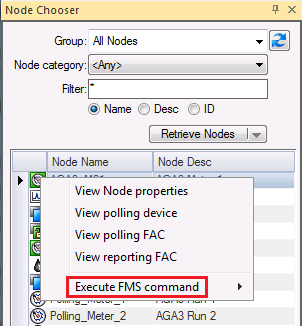
- Any Node chooser (stand-alone or embedded in a control), via context menus (configured commands or a <Quick Command>)
- The Commands menu (except reports commands)
- The Dashboard control, via the data grid context menu (configured commands or a <Quick Command>)
- The Reports control (reports commands only)
See FMS Commands for more information about specific commands available in CygNet Measurement.
Commands can also be executed via CygNet Explorer, ActiveX controls, or scripting. See Executing CygNet Measurement Commands for more information about these options.


