Viewing and Editing SCADA Reporting Facility Details
Note: This feature is currently available only in 32-bit versions of the software.
Use the View reporting FAC option to view and edit SCADA reporting facility details associated with a selected station (station meter or station group) Node. You can view the SCADA reporting facility ID, view or edit facility attributes, or access audit history for the reporting facility linked to the selected station Node. This information can be helpful for editing attributes, auditing information, or troubleshooting purposes.
Facility properties can be viewed or edited by users with the required authorization level.
Viewing and Editing an FMS Node's SCADA Reporting Facility Details
Use the following method to access the facility Properties dialog box, to view or edit details for the SCADA reporting facility linked to the selected FMS station Node.
Viewing SCADA Reporting Facility Details
The Properties dialog box showing the reporting facility details associated with the selected station (station meter or station group) Node can be accessed through FMS Explorer.
To View an FMS Node's Reporting Facility Details from FMS Explorer
- Open FMS Explorer.
- On any Node chooser (stand-alone or embedded), right-click on a station (station meter or station group) Node name to access the context menu.
- Click View reporting FAC to access the Properties dialog box for the selected Node.
|
SCADA Reporting Facility Details |
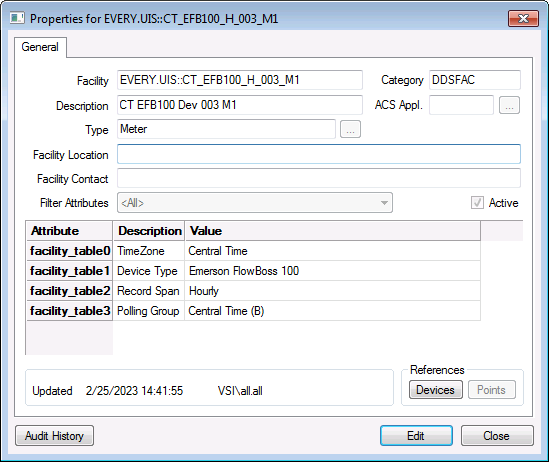
The Properties dialog box showing the SCADA reporting facility details can also be accessed through the Flow Measurement Service in CygNet Explorer. See Viewing and Editing SCADA Properties in CygNet Measurement for more information.
Editing SCADA Reporting Facility Details
Once you have accessed FMS reporting facility details for viewing, you also have the option to perform edits, if you have the required authorization level.
See Facility Attributes for more information about facility properties.


