DDS Editor Button Tool
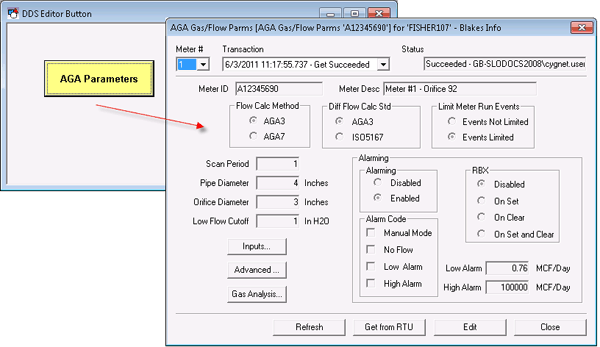
 DDS Editor Button objects show DDS Data Group Editors.
|
DDS Button Linked to DDS Data Group Dialog Box |
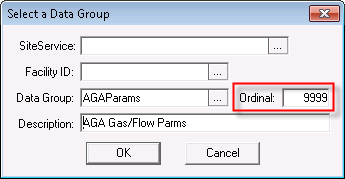
The [DataGroup] property defines the data group name and ordinal, as well as its SiteService and Facility ID.
|
[DataGroup] Properties |
![[DataGroup] property](../../Resources/Images/CygNet Studio/DDS_editor_DataGroup.png "[DataGroup] property")
For templated screens, SiteService and Facility ID properties must be blank so that the button inherits the default from TheView. The Ordinal must be wild carded. The wild card is 9999. When the wild card is present, the system resolves the wild card based on the Data Group name and Facility ID properties.
|
[DataGroup] Wildcard Ordinal |
DDS Editor Button Tool - Button Shape
The default button shape is a square button. The ButtonShape property can be used to change the shape to an active tab or inactive tab.
DDS Editor Button Tool - Button Face
The face of the button can show a label or point attributes, and it can be configured to show a bitmap and point state (concurrently or independently). See DDS Editor Button - Showing a Label, Point Attribute, or Point or DDS Editor Button - Showing an Image.
More:
 DDS Editor Button Tool - Showing a Label, Point Attributes, or Point
DDS Editor Button Tool - Selecting an Image
DDS Editor Button Tool - Properties, Events, and Methods


