Scopes
Any script added to a studio screen resides within a certain scope, or context, in which the script is “visible.” For example, a variable declared within one scope cannot be accessed from another scope. The available scopes are object events, declarations, and global declarations.
Object Events
Each object has an associated set of events to which script can be added. In the script editor, use the Object drop-down menu to select an object. Its event list will automatically be loaded in the Event drop-down menu. Select an event name from the list to navigate to its script. If an event contains script, its name will be bold in the drop-down menu. Alternatively, an event’s script can be edited by clicking the event name on the Events page of the object’s Property Sheet, which displays the Script Mini-Editor.
Within each event, CygNet Studio automatically inserts a line that assigns the object name to the This variable. Thereafter, This can be substituted for the object name (within the routine).
Declarations and Global Declarations
Script can also be added to the (General) section. This section encloses global functionality for a screen — that is, code not necessarily related to or executed within individual object events. The (General) section itself includes two possible scopes: Declarations and GlobalDeclarations. These scopes can be selected in the Event drop-down menu when (General) is selected in the Object drop-down menu.
- The (Declarations) section contains script that is accessible from all objects within the screen.
- The (GlobalDeclarations) section contains script that is accessible from all screens running within Studio. The GlobalDeclarations section is synonymous with the Declare.bas file.
|
Global Declarations |
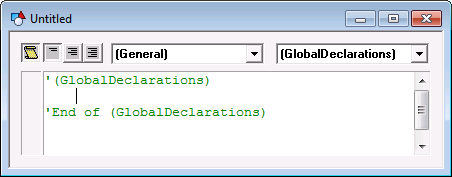
Use these sections to define global variables and methods. Also see Global Methods and Declarations for more information.

