Editing Text Files
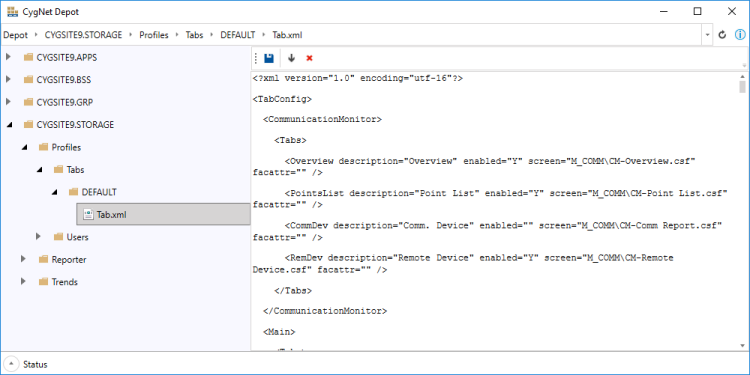
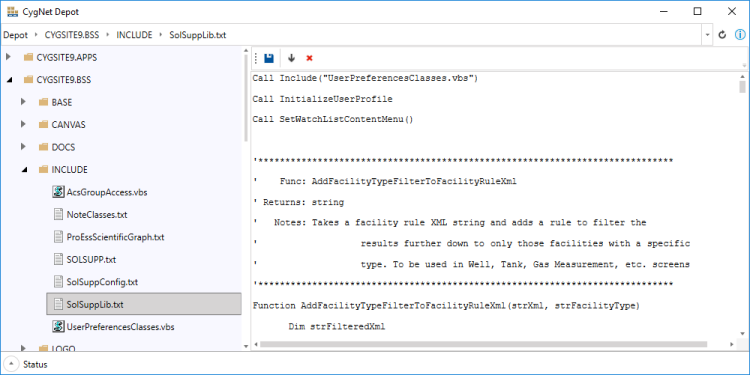
You can use CygNet Depot to make in-place edits to text-based files (.txt, .xml, .vbs, etc.) without having to first download the file. For text files, you can make changes to the text directly in the Depot and save them without having to download and upload the file yourself.
To perform in-place editing
- Using the Browsing Tree on the left, navigate through your APPS, BSS, or Group services to find the file you want to edit.
- Click on the file name and the contents will be displayed in the View Area on the right.
- Unsupported file types will show "No preview available".
- Make any necessary edits to the text file right in the View Area.
- In the toolbar of the View Area, you can save, download, or delete the selected file.
- Click
 to save the selected file, once edited.
 - Click
 to download the selected file.
 - Click
 to delete the selected file.
- Click
|
Edit a text file |
|
Edit an xml file |