Configuring History Export Layout
The Layout page specifies what fields to export and the export format. The fields listed in the Export Columns list are those that will be exported.
|
Layout page |
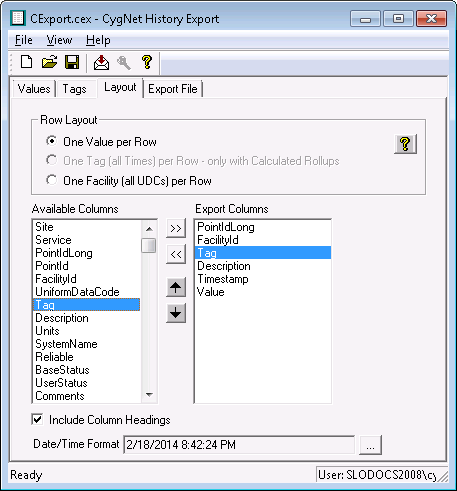
The following table lists and describes fields found on the Layout page of the CygNet History Export utility.
| Property | Description |
|---|---|
|
Row Layout |
Options are as follows:
Click |
|
Available Columns |
Select fields to add to the Export Columns list using the Add Column and Remove Column buttons. |
|
Export Columns |
The fields listed in the Export Columns list are those that will be exported. Use the Up and Down arrow buttons to reorder fields. |
|
Include Column Headings |
Click to Include Column Headings in the export file. |
|
Date/Time Format |
Click to select a format for the date/time and whether to include milliseconds. Click … to choose and/or customize a date/time format. |
 Show sample layout for row layout help.

