Configuring Domains
Use the Domain page of the CygNet Redundancy Editor to specify the domain ID, network, role, and failover trigger for all domains in your redundancy environment.
|
Click the thumbnail to see an example |
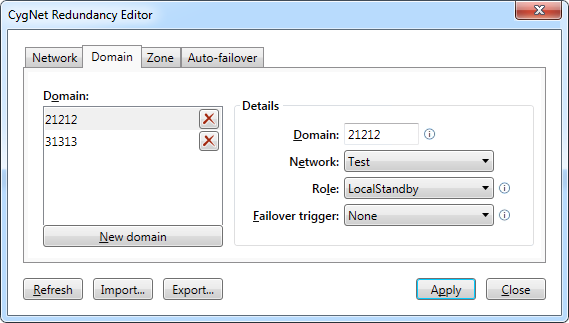
Domain Properties
The following table lists and describes the Domain page properties.
| Parameter | Description |
|---|---|
| Domain | |
|
New domain |
Click New domain to add a new domain to the redundancy environment. Click X to remove the associated row. |
|
Details |
|
|
Domain |
Specify a unique domain ID for the domain between 5001 and 32767. |
|
Network |
Specify the network with which this domain is associated. Note: Any network/data-center pair can only have one redundancy set. |
|
Role |
Specify the role this domain plays in the redundant set. Options include:
|
|
Failover trigger |
Select a failover trigger for the selected domain. Trigger conditions are configured on the Auto-failover page. Failover will be automatically initiated on the local standby or data-center standby domain whenever the conditions specified in the failover trigger are met. Note: The Failover trigger is disabled for an active domain. |


