Auto-Generated Points
The CygNet ServiceMon Administration utility automatically creates two groups of points. One group contains the point template. The other group contains the points for the default timer.
SVCMON Point Templates
A SVCMON point template is a point that defines the properties for a particular SVCMON UDC. The Facility of a point template is ~TEMPLATE and the UDC represents the info item to be monitored.
|
~TEMPLATE |
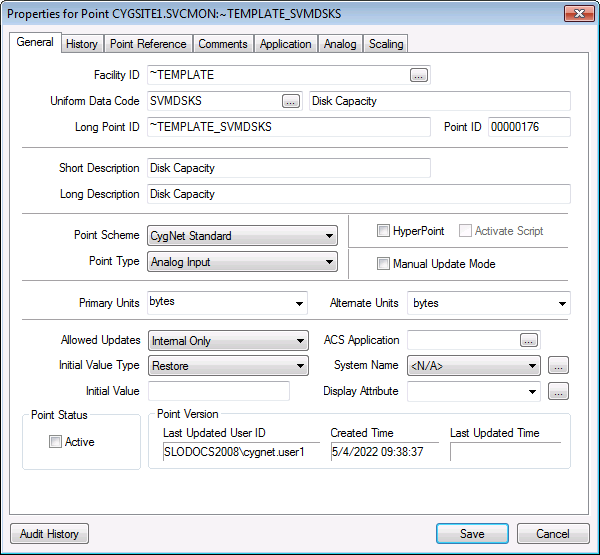
Note: The Status property of the point template is set to Inactive. As such, the point is listed in the PNT but not the SVCMON. When the template is used to create a new SVCMON point, the Status property of the new point is set to Active.
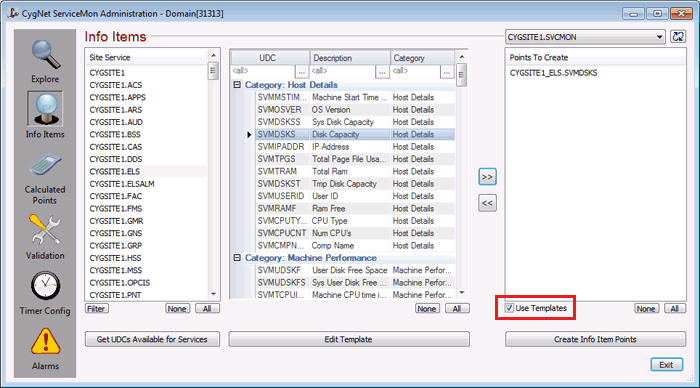
When creating a new SVCMON point using the SVCMON Administration utility, you can elect to apply the properties of the point template to the new point. For example, by default, alarm setpoints are not defined in the point template that represents "Disk Capacity" (this point is based on the system UDC SVMDSKS). However, you can edit the template to define the alarm setpoints, and then apply the change for all SVCMON points that use the SVMDSKS UDC.
|
Apply Template |
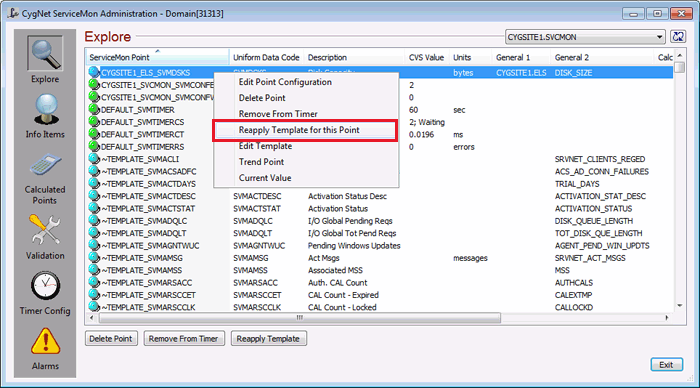
At any time you can edit a point template and then apply the changed template to the SVCMON point.
|
Reapply Template |
Default Timer Points
The Default Timer points define the parameters of the default timer.
| Facility | UDC | Point Description |
|---|---|---|
|
DEFAULT |
SVMTIMER |
ServiceMon Timer |
|
DEFAULT |
SVMTIMERCS |
ServiceMon Timer State |
|
DEFAULT |
SVMTIMERCT |
ServiceMon Timer Cycle |
|
DEFAULT |
SVMTIMERRS |
ServiceMon Timer errors |
Timer points have their own set of point templates as well.


