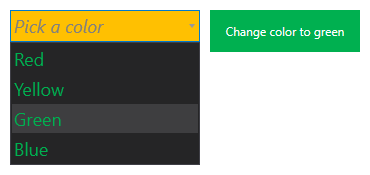
A Combo Box provides a drop-down menu control for your screens, where a user may select one among a list of mutually exclusive values. The list of items in the drop-down menu is defined using the Combo Box's Items property. Each item in the drop-down menu has a Label and a Value, either of which can be called in script to facilitate user interaction. You can configure the list to default to the first item and add some explanatory text to guide your users when no option has been selected. The background color of the Combo Box's header and the color of the text in the Combo Box list are configurable. The control's color elements can be set to automatically follow the selected application theme regardless of the underlying color palette used or explicitly configured. Font sizing, text styling, and text weighting are also configurable.
Combo Box Example
The following image shows a simple Combo Box.
|
Sample Combo Box |