The Dynagraph control has the following run-mode options:
-
You can dynamically resize your screen and any controls within. See Resizing Screens for more information about resizing Canvas screens.
 Use the Dynagraph context menu
The Dynagraph control supports several operations from its context menu, enabled by activating the Show context menu property:
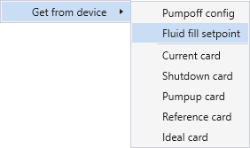
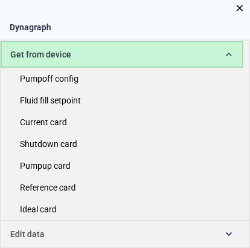
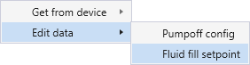
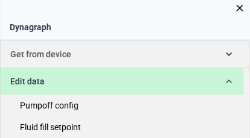
The Show context menu check box indicates whether a right-click context menu will be available or suppressed in run mode. Right-click anywhere in the Dynagraph to access the control’s context menu. The Dynagraph context menu allows the following operations:
|
||||||||||||||||||||||||||||||||||
 To get pumpoff configuration data
You can retrieve the most recent pumpoff configuration data from the associated remote device using the DynaConfig ("Pumpoff Configuration") data group. Doing so will overwrite the data presented in the current Dynagraph control. See the relevant DynaConfig data group for the remote device in the DDS for more information.
- Right-click the control and select Get from device > Pumpoff config from the context menu.
To get the fluid fill setpoint data
You can retrieve the most recent fluid fill setpoint from the associated remote device using the FldCalcSet ("Gross Fluid Calculation Settings") data group. This option is not available for all remote device types. See the relevant FldCalcSet data group for the remote device in the DDS for more information.
- Right-click the control and select Get from device > Fluid fill setpoint from the context menu.
To get card data
You can retrieve card data for any type of card from the remote device and add it to the card plot area.
-
Right-click the control and select Get from device > <card name> from the context menu.
-
The selected card, if available, will be added to the control and the legend.
To edit pumpoff configuration values
The Pumpoff Configuration dialog box allows you to input numerical values for several pumpoff configuration setpoints (e.g., POC setpoint, Pumpoff method, Peak load, and Minimum load). Doing so overwrites the pumpoff configuration defined in the remote device. You can configure successive strokes in each condition that will cause the pump to shut off.
|
||||||
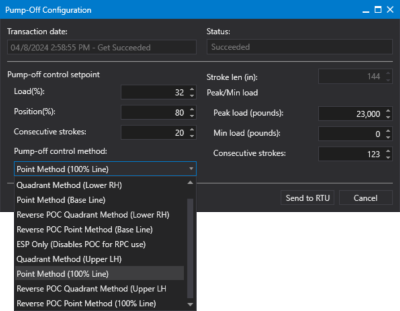
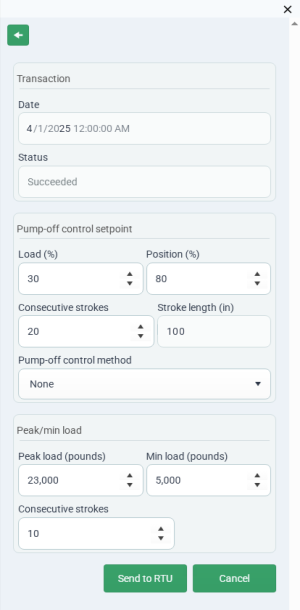 To edit fluid fill setpoint values
The fluid fill setpoint is a bar displayed only on the surface graph. The Gross Fluid Calculation Settings dialog box allows you to enter setpoint values for the start and end position endpoints. Doing so overwrites the fluid fill configuration defined in the remote device. This option is not available for all remote device types.
|
||||||
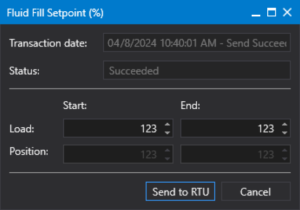
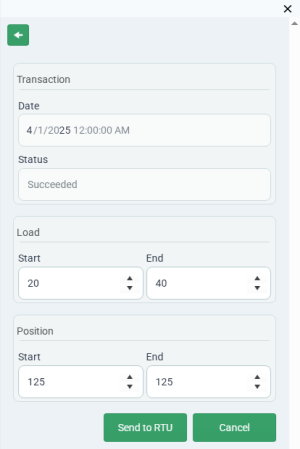 To hide a card from display in the card plot
Card plot editing is integrated into the legend; as you hover over the legend you can temporarily remove a card from the Dynagraph control. Any card can be hidden during run mode.


- Click on the check box/legend item to the left of the card legend to hide the card. The card will be hidden on the control.
- Click again on the check box/item to show the card.


