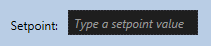
The Edit Box can be added to a screen to allow single- or multi-line user input. Its purpose is to take user input, which can be retrieved via script using the Text property. The input could be used in a variety of ways. One of the most common implementations is to specify the value for a setpoint command; for example, to enter a maintenance date. Explanatory text can be displayed (as a gray watermark) when no other text has been entered. Script events are available to support action when any key on the keyboard is pressed or released while the Edit Box has focus. Script is required to facilitate user interaction with an Edit Box object.
Edit Box Example
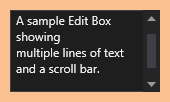
The following image shows a simple Edit Box.
|
Sample Edit Box with |
|