Properties to Search
Use the Properties to Search dialog box to select the facility properties that will be searched in the search box. Note that searching many properties and searching non-indexed properties may negatively impact performance. The default properties are Facility Description and Facility ID.
|
Properties to Search |
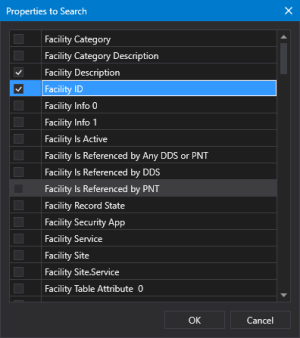
- Select the facility properties and attributes to use.
- Click OK to accept the properties and close the dialog box.
- Click Cancel to close the dialog box without changing the selected properties.