Select UDC
Use the Select UDC dialog box to select a UDC for your control or element. The contents of the Select UDC dialog box can be filtered, grouped, and searched to limit the results. Click any column header to sort that column in ascending or descending order.
UDC
- Narrow the list using the Filter, Group by, or Search tools.
- Select a UDC from the list.
|
Select a UDC |
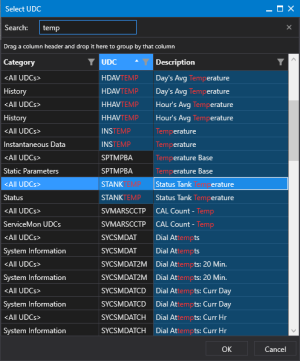
- Once you have located the right UDC, double-click to select the UDC and close the Choose a UDC dialog box.
- Or click OK to accept the selection and close the dialog box.
- Click Cancel to close the dialog box without making a selection.