Value Bounds
Perform the following steps to configure value bounds for controls that support this property.
|
Value bounds configuration |
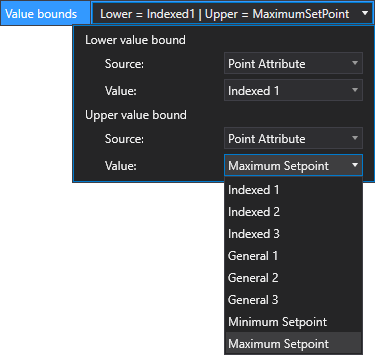
- Click
 to reveal a set of options where you can specify the source and value of the lower and upper bound.
 - For the Lower value bound, select the Source.
- If you want to use an explicit value, select <Self> as the source.
- Type a value in the Value field.
- If you want to use an application-specific attribute of the associated point, select Point Attribute as the source.
- Select the attribute from the drop-down menu. Options include Indexed 1-3, General 1-3, Minimum Setpoint, or Maximum Setpoint.
- In CygNet Explorer, go to the PNT Editor:
- Application page to configure the Indexed or General data fields
- Analog page to configure the Setpoint values
- Repeat steps 1 through 4 for Upper value bound.