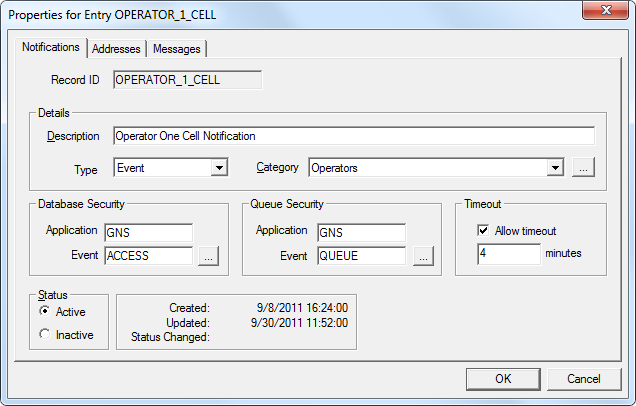
To Configure a GNS Record
The properties on the Notifications page are described below.
| Property | Description |
|---|---|
|
Record ID |
The GNS ID of the notification record. Can be free-form text field (up to 20 characters). |
|
Description |
A free-form description of the record. |
|
Type |
A GNS notification record can be one of four types: Event, Group, Address, or (Unspecified). See Notification Record Types. |
|
Category |
Optional. Used for sorting. |
|
Database Security |
The name of the security Application and Event for the record. This administrative security governs who can edit the record. Click … to select a security setting. See the GNS security reference for more information. |
|
Queue Security |
The name of the security Application and Event for the record when it is in the GNS queue. This operational security governs who can acknowledge the notification using CygNet Explorer or delete the record’s notification from the queue. Click … to select a security setting. See the GNS security reference for more information. |
|
Timeout |
Specifies the maximum amount of time (in minutes) a notification will reside in the queue. Select Allow timeout to enable and specify the number of minutes for the timeout. |
|
Status |
Indicates if the record is Active or Inactive. A status history is also provided. |

|
|
|

