Point Transition Detail Screen
The Point Transition Detail screen (Point Transition Detail.csf) shows more detailed logging information regarding a particular point.
|
Click the thumbnail to see |
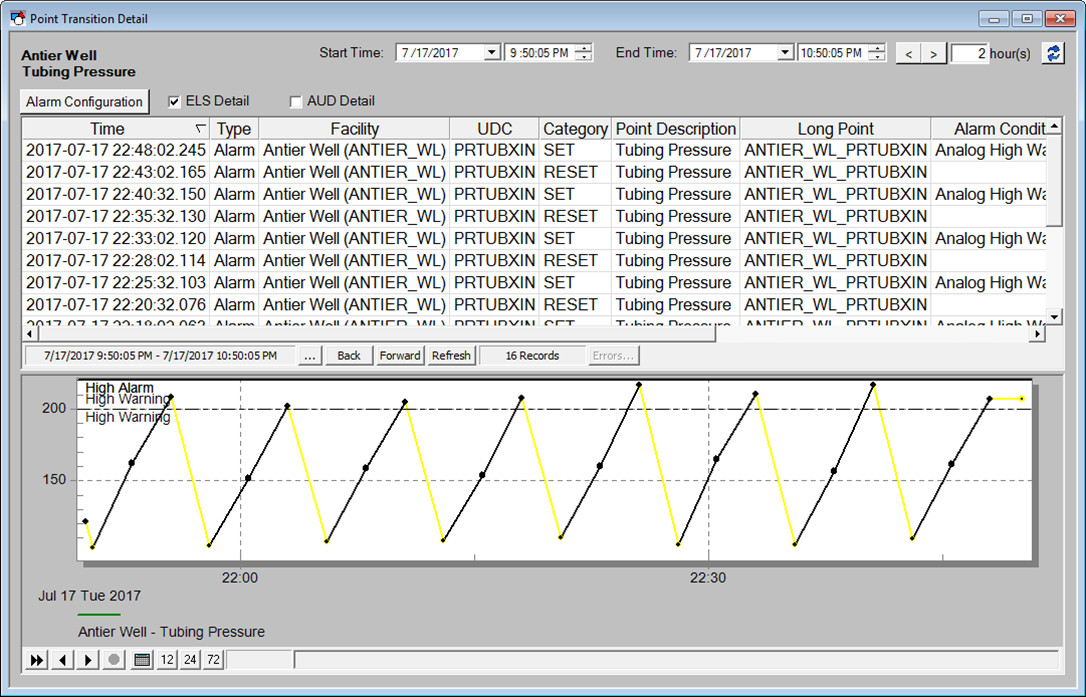
The top section of the screen is a CygNet Event Summary Control driven by the PointId passed into the screen from the KPI Detail screen. Above the control are check boxes to indicate if the Event Summary Control should show data from the ELSALM and/or the AUD services.
The bottom section of the screen shows a trend of historical data for the given point and the specified time range. Zooming in on the trend modifies the screens time range and affects the Event Summary Control above it. The Trend also shows the various Alarm Limits as "swim lanes" for better visualization of the alarm transitions.
At the top of the screen is an Alarm Configuration button that enables the user to modify the alarm thresholds, provided the user has security rights to do so. The dialog shown is the standard Alarm Settings dialog box.
|
Analog Alarm Settings dialog box |
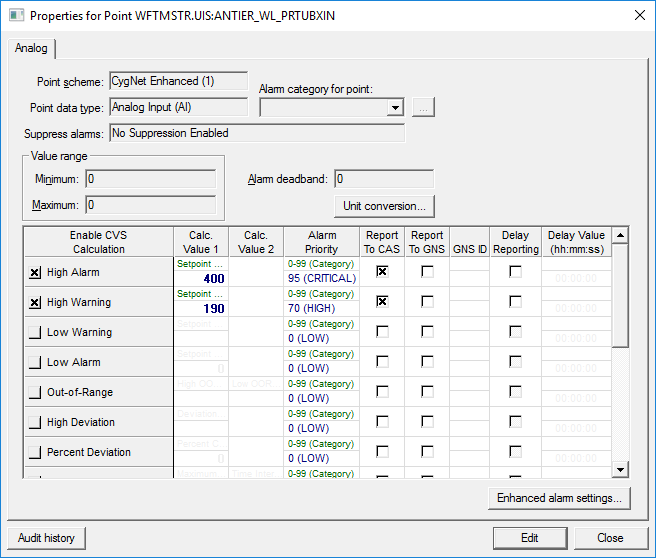
After editing the alarm thresholds, the Comment.csf screen is displayed. This screen is used to capture a comment regarding the change made.
|
Comments dialog box |
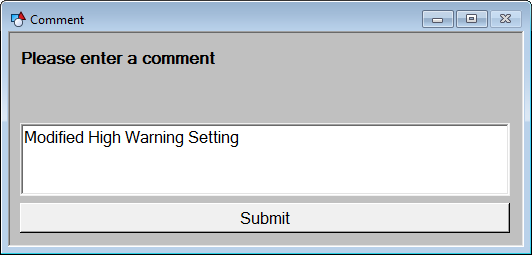
When the Point is changed, an automatic AUD entry is created (provided proper configuration). On the Comment.csf screen, when a comment is entered and Submit is clicked, the user is directed back to the Point Transition Detail screen and an entry in the AUD is made with an Operation ID of "KPICOMMENT".


