Creating New Facilities from a Blueprint
Once you’ve defined your facilities (and their related points, attributes, etc.) you can use those definitions to create new instances of each through both the CygNet Designer and the API.
Use the Designer to Create Facilities
In the Designer navigation menu under Create, click Create New. In the work area you will see a list of all facility definitions that have the option Facilities can be created using this facility definition enabled on the Facility Definitions — General Tab.
|
Create new facility |
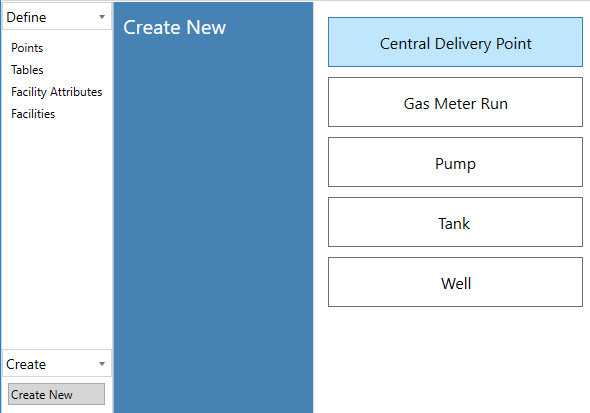
To begin the creation process, click on the type of facility you would like to create a new instance for. Then we will configure the filter-driven attributes, then the other attributes, and finally review our changes before creating our facility.
Filter Attributes
After selecting a facility definition the Filter Attributes screen will appear:
|
Create new facility — Filter Attributes |
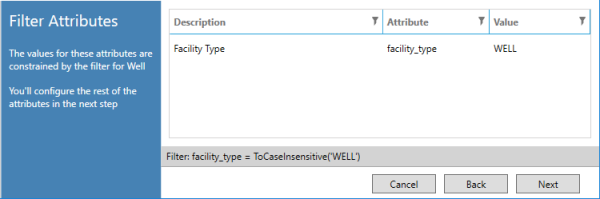
Recall that when you created your facility definition, you specified a facility filter to determine which facilities corresponded to which definition. For example, a Well facility definition might have a filter where Facility Type must equal "WELL." This screen parses that filter and locks down the necessary attributes and values so that your new facility is guaranteed to meet the criteria of your filter.
In the image above, you can see that Facility Type has been forced to a value of "WELL." Since there is nothing to configure, we can click Next.
Attributes
On the next screen you will configure values for the remaining attributes for your new facility.
|
Create new facility — Remaining Attributes |
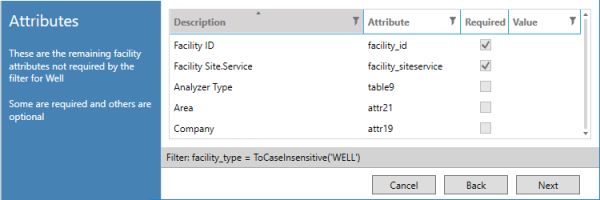
Based on your facility definition, some attributes will be required and others optional. Facility ID and Facility Site.Service are always required, as they are necessary to create a new facility. Fill in the attributes with the values you want for the new facility then click Next.
Review
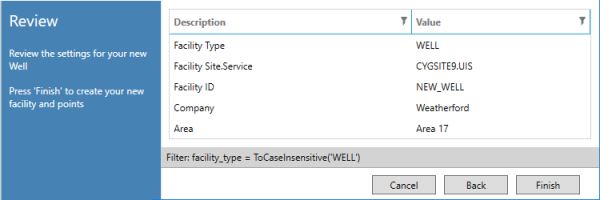
Lastly, review the settings for your new facility before clicking Finish to create.
|
Create new facility — Review |
Use the API to Create Facilities
You can also invoke the creation dialog box from VBScript, allowing you to create new facilities based on your definitions without using the Designer.
Assembly: CygNet.AE.BlueprintAPI
Namespace: CygNet.AE.BlueprintApi
Class: Creation
Method: ShowCreateNewDialog()
Parameters:
strBlueprintPath — path to the .blu file to use in creation
Example
|
Dim objBlueprint Set objBlueprint = CreateObject("CygNet.AE.BlueprintApi.Creation")
objBlueprint.ShowCreateNewDialog "C:\Blueprints\blueprint.blu" |


