 The Facility Emitter is a special CygNet-aware control that leverages the facility receiving and sending model in Canvas allowing multi-directional linking between controls. With this control you can deliver sophisticated screens without script. The control takes facility information passed to it from a sending control (e.g., a tag chooser, map, or even a grid), applies a facility filter, then delivers filtered data to other receiving controls on the screen. The Facility Emitter is a hidden control, visible only in design mode.
The Facility Emitter allows for the creation of easy-to-maintain, no code Canvas screens; and it:
- can be connected to any sender control to receive its facility context
- can be connected to any receiving control to send filtered data
- can be connected to another Facility Emitter in a daisy-chain to allow deeper filtering before passing data to a final receiving control
- supports relative facilities and generic filtering to deliver any kind of data to the receiving control
- supports a label so you can identify multiple Facility Emitter controls on a screen in design mode.
This control is supported in the Canvas Native view and the CygNet TWC web view.
Facility Emitter Example
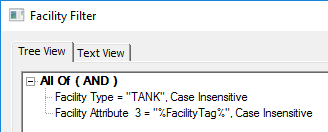
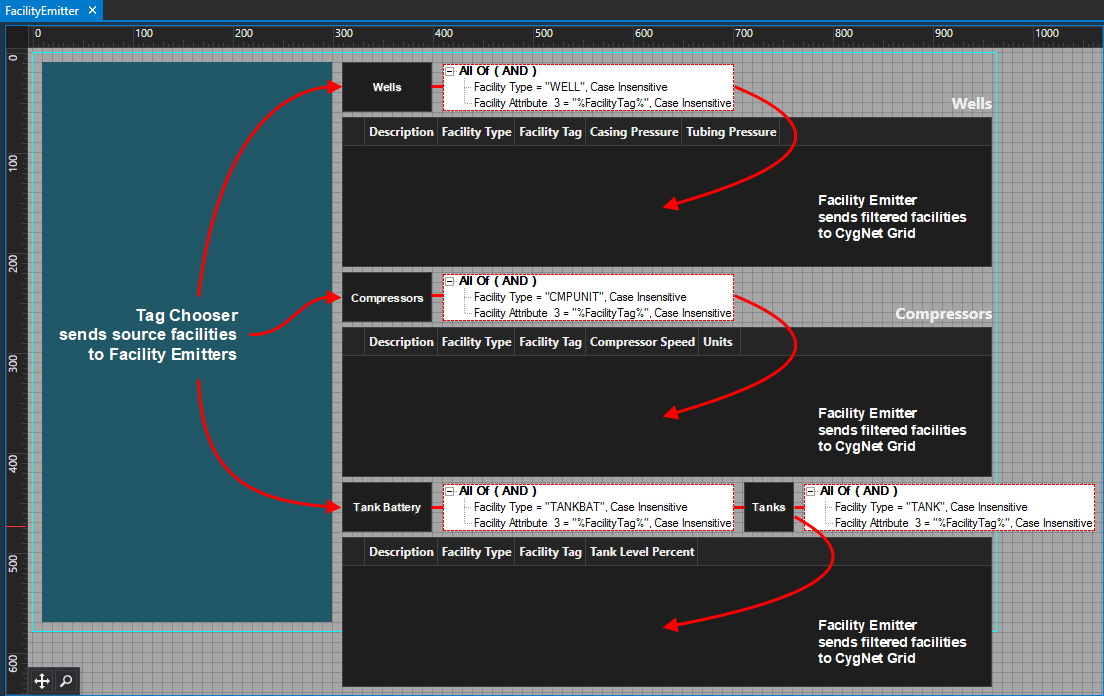
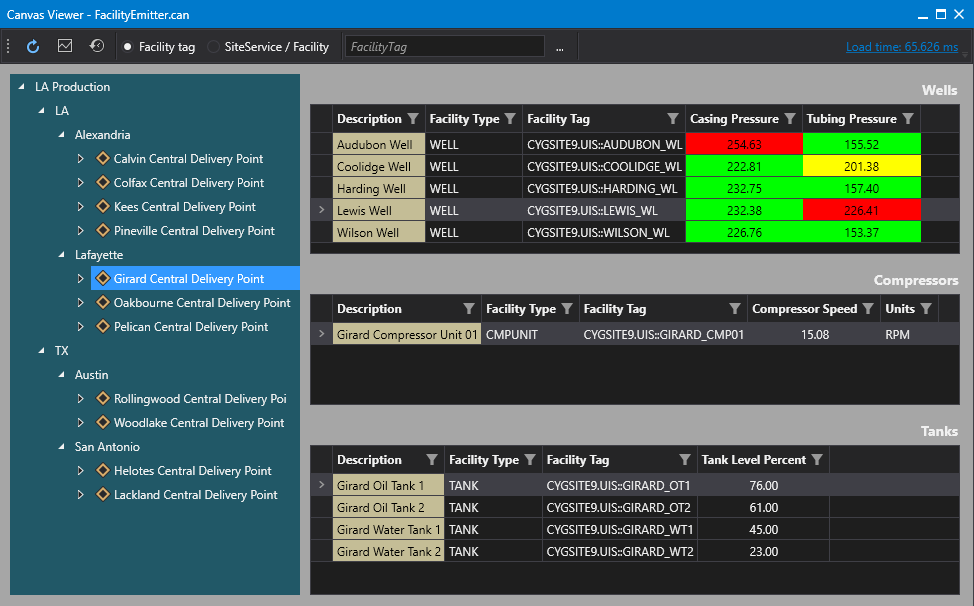
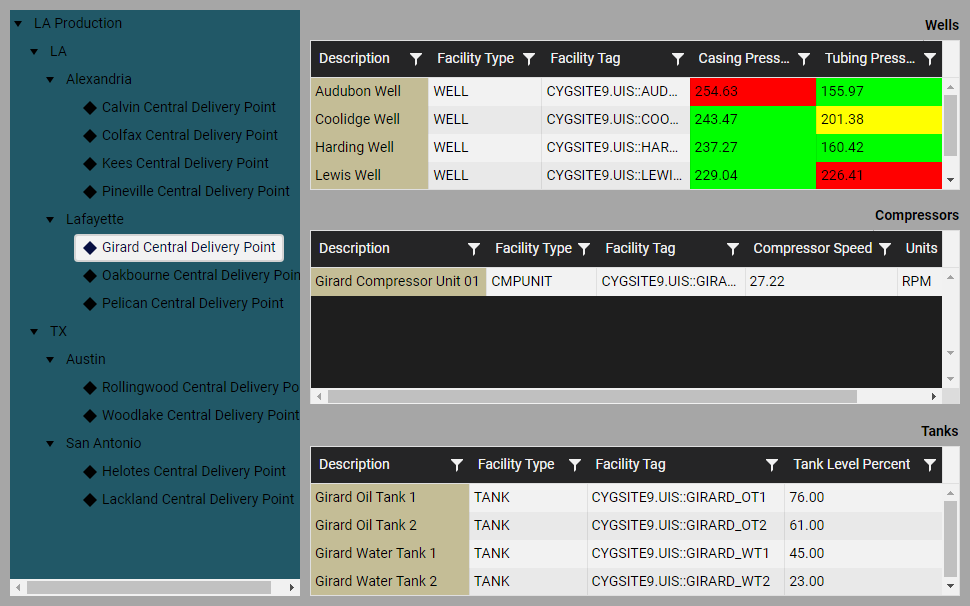
In the following example, a Tag Chooser is configured to show Central Delivery Points (CDP) in a CygNet system (images #2 & #3), and as a facility sender the tag chooser passes a selected facility to each Facility Emitter shown on the left above each CygNet Grid (image #1). Each Facility Emitter is then configured to filter data on a compounded rule: Facility Type And Facility Attribute (%FacilityTag% token). Then the filtered facilities are sent to the receiving grid (images #2 & #3).
|
Sample Facility Emitter filter |
In the image #1 below:
- The top Facility Emitter is configured to filter on Wells in the Girard CDP and send the results to the CygNet Grid (there are five wells).
- The middle Facility Emitter is configured to filter on Compressor Units in the Girard CDP and send the results to the CygNet Grid (there is only one compressor).
Connecting Multiple Facility Emitters
Facility Emitter controls can be daisy-chained together to deliver highly filtered data to any receiving control on a screen. In this example system, the Tank Facility Types are children of the Tank Battery Facility Types, so we need to use two Facility Emitters to get the desired information.
- The bottom two Facility Emitters are connected: the first emitter takes the selected Girard CDP and filters on Tank Batteries in the CDP, the second emitter takes that Tank Battery and filters on Tanks in the CDP, and then sends the results to the CygNet Grid (there are four tanks in the CDP). While technically, these are the four tanks in the CDP, it’s more accurate to say, these are the four Tanks associated with the Tank Battery, whch is associated with the CDP.
|
1. Click the thumbnail to see |
2. Click the thumbnail to see |
3. Click the thumbnail to see |
Property Inheritance
Property Inheritance
Property inheritance, or sending and receiving, is a widely used concept in Canvas. The application supports an explicit relationship between screens, objects, and controls, where certain property values, such as facilities and SiteService details, are passed from one element to another via an inheritance framework. Screens, objects, and controls can be configured as property senders or property receivers and provide configuration options where you can explicitly define the source of the facility and SiteService. Depending on how you have your screens, objects, and controls configured, the facility and SiteService may be received from any one of the following sources:
- from itself — indicated by selecting <Self> and then explicitly configuring the property
- received from the screen — indicated by selecting Screen, which is always present as a sender
- received from another control — indicated by selecting the Name of the sending control.
Broadcasting
Screens and objects support an additional notification option to broadcast their facility and SiteService selection changes to other open screens. If configured, a <Broadcast> option is available to source the screen's facility and SiteService properties from another open screen.
For example, a Text Tool can be configured to get its facility from the screen and the screen can be configured to get its facility from a Tag Chooser. Or Screen_A might source its facility from Screen_B, which gets its facility from a Tag Chooser.
Receiver or Sender
The Facility Emitter control supports property inheritance as a receiver and sender of its SiteService and facility:
| Receive from | Send to | ||
|---|---|---|---|
| SiteService | Facility | SiteService | Facility |
| self screen |
self screen other controls |
none | self screen other controls |
The Facility Emitter control does not send its SiteService to other controls.


