The following steps describe how to upgrade to a newer version of the CygNet Thin Web Client services.
Upgrade CygNet Thin Web Client
Perform the following steps to upgrade your TWC services to the latest release.
- Update the CygNet host to the latest version and install any patches. See the
 CygNet v9.8 Upgrade Procedure for upgrade instructions.
 - Download and install the required Canvas patch that matches the version you are running from the CygNet Download Site (login required) site.
- Download the TWC Services Installer from the CygNet Download Site (login required) site.
- CygNet services can remain running. Close Canvas if it is running.
- Run TWC.Installer.SetUp.exe as an administrator.
- Terms and Conditions
- Click license terms to view the Weatherford Terms and Conditions.
- Click I agree to the license terms and conditions.
- Click Install to launch the CygNet Thin Web Client Setup Wizard.

CygNet Thin Web Client Installer
- CygNet Thin Web Client Setup Wizard
- Wait for the installer to gather requirements. Click Next to start the setup wizard.
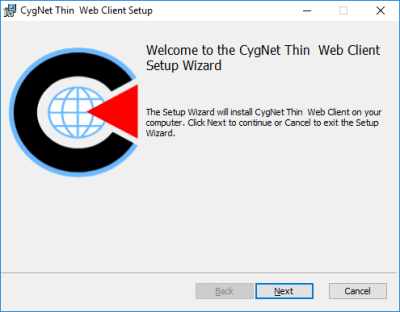
CygNet Thin Web Client Setup Wizard
- Upgrade Options
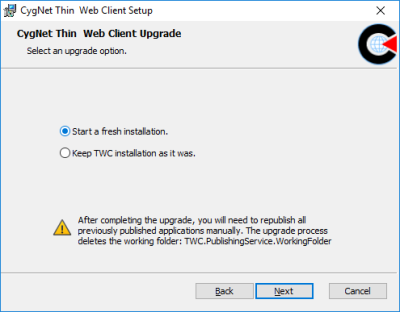
- Start a fresh installation — The Installer will delete all previously compiled applications and source files by removing the entire working folder (TWC.PublishingService.WorkingFolder), and then perform an upgrade to all TWC service files.
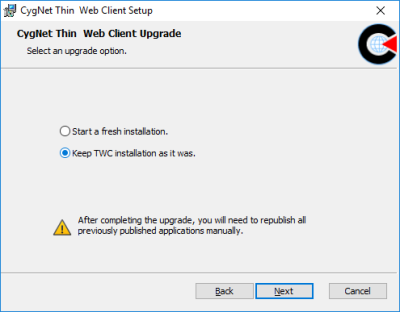
- Keep TWC installation as it was — The Installer retains knowledge of which applications were previously published and any Canvas source files used to create the published applications, and updates the system to a state similar to the state prior to the upgrade, only with the newer TWC server files. This upgrade option indicates to the publishing server that an upgrade has been performed and that a Soft publish must be executed before proceeding. This is the default upgrade option.
- Start a Fresh TWC Installation
- Select Start a fresh installation if you want to delete all previously compiled applications and TWC source files and start fresh.
- Click Next.
- Keep TWC Installation As It Was (Default option)
- Select Keep TWC installation as it was if you want to keep the previously published applications and source files.
- Click Next.
The CygNet Thin Web Client Setup program offers two upgrade options:
Republish All Applications After an Upgrade
The Publishing service will detect when a TWC system has been upgraded, but previously published applications have not been republished. After completing an upgrade (either after a fresh install or keeping TWC as it was), you must republish all previously published applications (using Soft publish on the Server page). If you don't republish all previously published applications, any subsequent publishing attempt will fail, and you will see the following Publishing Exception error in the Error details on the Publishing status page:
The Publishing service is in a migrating state. Please initiate the migration process (run Soft publish on Server page).
|
Start a Fresh Installation |
-OR-
|
Keep TWC Installation as it was |
- Ready to Upgrade
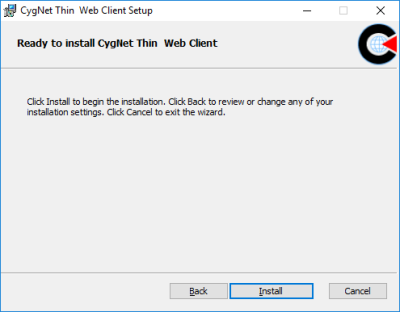
- You are now ready to upgrade the CygNet Thin Web Client.
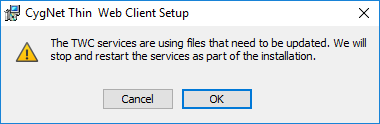
Click Install to copy TWC files, update, validate, register components, and start the TWC services. - You will see a message indicating that the TWC services are using files that need to be updated. The Installer will stop and restart the TWC services as part of the upgrade.
Click OK. The Installer will copy TWC files, install, validate, register components, and restart the TWC services.
|
Ready to Install |
|
Update Files |
- Setup Wizard Completed
- The CygNet Thin Web Client Setup Wizard is completed. Click Finish.
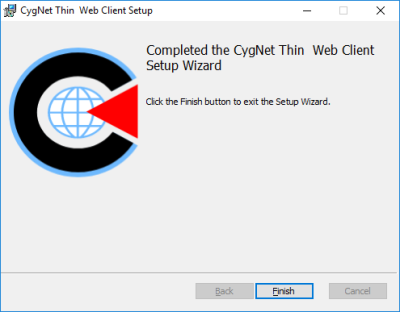
CygNet Thin Web Client Setup Wizard Completed
- Installation Successfully Completed
- The CygNet Thin Web Client Installation is completed. Click Close.
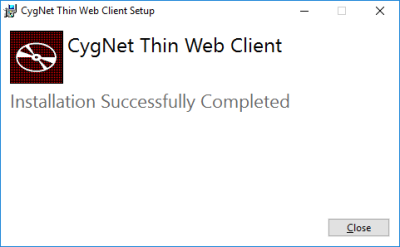
CygNet Thin Web Client Installer Completed
- Use Canvas to Republish Applications
- Once the CygNet Thin Web Client services are updated, start Canvas and go to the Web Settings in the Backstage view.
- Use the Server page to:
- publish multiple applications together in a single action after a server upgrade. See Multiple applications publishing.
- republish previously published applications after a server upgrade. See Soft applications publishing.
- Access your applications in your favorite web browser.
Update the Collected-Packages.zip File
The Publishing Service requires a Collected-Packages.zip file, containing various software packages, which are used to compile an application during the publishing process. One of the included software packages may vary based on the client’s computer’s configuration. If your server configuration changes, for example, after an upgrade, you may need a different package version to be able to publish applications.
If you see a package error in the Details section on the Publishing status page similar to the following:
Unable to find package Microsoft.NET.ILLink.Tasks with version (>= 8.0.5)
you need to update the Collected-Packages.zip file.
See Updating the Collected-Packages .zip File for information on how to update the Collected-Packages.zip file.
Troubleshooting TWC Upgrade
See information about troubleshooting the TWC installation and upgrade process.


