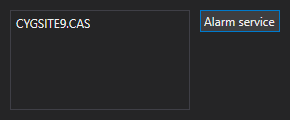
Alarm service configuration
Use the Alarm Notifier page in the Backstage view to configure the global settings for the Alarm Notifier, including the following:
These settings are saved in XML format as part of the global settings file (.gsf) for your Canvas application and applied to all instances of Canvas. If there is no global settings file available, none of these settings will be visible, but a message will provide a link to the Settings page where you can configure a global settings file.
Each setting is described below.
The alarm notifier pulls its information from the Common Alarm Service (CAS) where centralized alarm processing for the current value services (CVSs) takes place. The alarm notifier needs to know from which CAS(s) to retrieve information.
|
Alarm service configuration |

|
Use the Alarm Filter dialog box to create custom alarm filtering rules to limit the alarms displayed in the alarm notifier.
|

|
Use the Alarm Sounds dialog box to configure a sound file that will play when an alarm displayed in the alarm notifier falls within the configured alarm priority range.
|

|
Use the Alarm Colors dialog box to configure the color elements of the alarm notifier. The color can be explicitly configured (using <Self>) or it can be sourced from the point state of the associated point (by selecting Point State).
|
These attributes specify the text that will appear in the three items in the alarm box on the notifier. The text can be a static label or dynamic text based on point or facility attributes. Dynamic text is built using tokens, which can represent real-time CVS point properties, point configuration properties, and facility properties. Each alarm box will expand in width to display any specified text.
The Alarm Notifier includes a box on the far left showing the total number of unacknowledged alarms, which can be clicked to launch a related custom screen file. This link uses the Navigate by Facility feature and the mode of navigation is by the Facility navigation mode property setting on the screen displaying the Alarm Notifier. The specified screen must be stored in the BSS.
|
Alarm screen file path |
The Path property specifies the path to the screen to open when you click on the box displaying the total number of unacknowledged alarms in the Alarm Notifier.
 to access the Select File dialog box.
|
|
|


