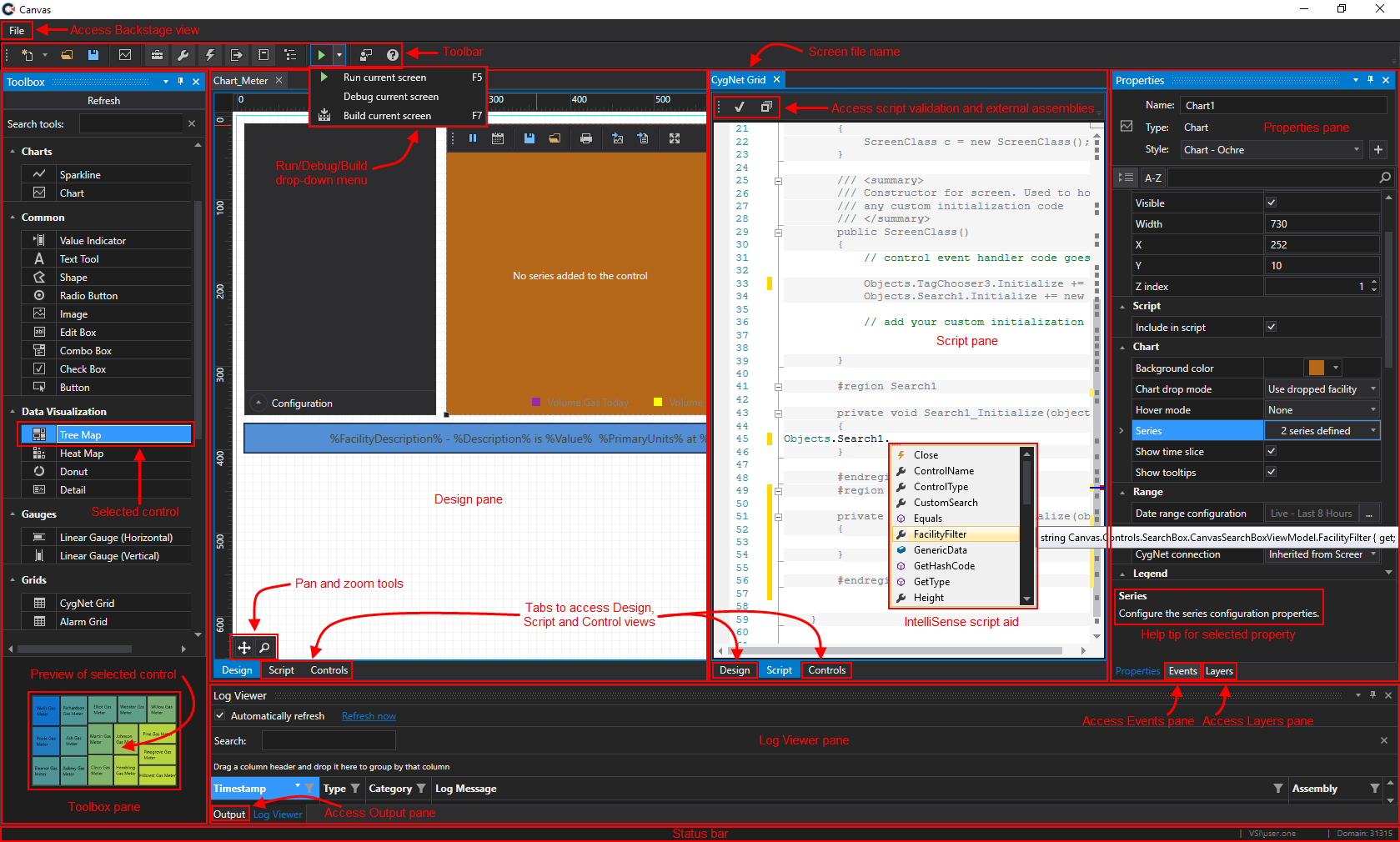
Click the thumbnail to see a
sample Canvas workspace with callouts

Click the thumbnail to see a
Canvas Backstage view, Settings page
Canvas provides high-quality screen design functionality, utilizing a variety of specialized tools and controls, which you can use to create user screens to interface with your CygNet Software installation and data. The Canvas plugin model allows the creation of custom or third-party control types, and once added to Canvas they will be available for addition to your screens.
Canvas View is the read-only run-time companion application to Canvas providing a standard multi-document interface to your Canvas screens. You can also open any CygNet Studio file (.csf) in Canvas View. Canvas View Lite is a very light read-only run-time companion application to Canvas.
|
Click the thumbnail to see a |
|
Click the thumbnail to see a |
Canvas contains a set of controls and features that are compatible with CygNet Software v9.4, including:
Note:
Canvas screen examples are available in two locations:
Be sure to browse through these files to familiarize yourself with how scripting is commonly added to object events.
|
|
|

